

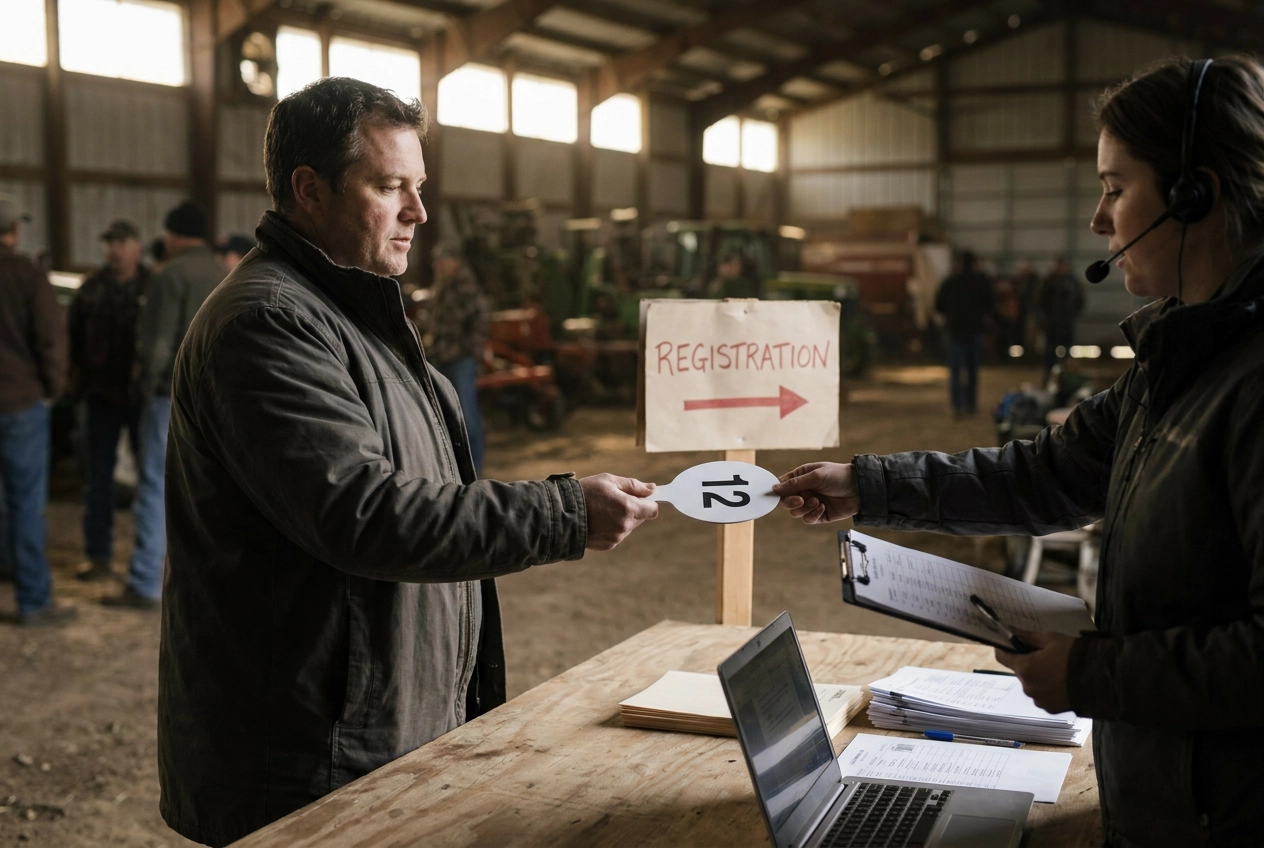
The moment doors open at a live auction, the clock starts. Every bidder who shuffles through the check-in line without a paddle in hand is a moment of momentum lost, and in a room full of eager buyers, that friction compounds fast. Bidder registration is not a formality; it is the operational foundation the entire event sits on.
Getting it right means understanding the full workflow: from pre-event data capture and ID verification to the assignment of bidder numbers for auction day, all the way through to how that intake record connects automatically to final invoicing. Get it wrong, and you spend the post-sale hours doing the reconciliation work that good software design eliminates before the first lot ever drops.
This tutorial walks through every stage of that workflow. You will learn how pre-event setup reduces on-site friction, why auction-specific number assignment matters more than most operators realize, how registration ties directly to cashiering accuracy, and what separates a well-designed check-in process from one that creates bottlenecks before bidding even begins.
Why Bidder Registration Is the First Bottleneck of Every Live Auction
Most bidders arrive in a compressed surge before the first lot drops. That surge is predictable, it is compressed, and a slow registration process cannot absorb it. Every bidder who joins a growing line is standing still instead of reviewing lots, talking to ringmen, or getting mentally ready to spend money.
A backlog at check-in does more than create frustration. Bidders who wait are less engaged when bidding opens. The energy a good auctioneer builds from the opening lot depends partly on a room that is ready, seated, and warmed up. A crowd still filtering through registration at lot three has already been given a reason to feel underserved.
Paper-based intake compounds the problem beyond the check-in table. Re-entering written intake into billing creates a new source of error at each step. A transposed digit or misread bidder number does not surface until cashiering, three hours later, when the line at the window is just as long as the one at check-in. Every data error captured at intake becomes a reconciliation problem at the close of sale, and tracking down correct contact information after a long ring is preventable labor.
Registration is also the only point in the sale where identity can be confirmed before a paddle is issued, making it both an operational checkpoint and a risk-management one. A system that handles one system from first bidder to final payout treats those two functions as inseparable from the start.
Pre-Event Setup: Laying the Groundwork Before Bidders Arrive
Fixing those downstream problems starts the day before the sale, not when the first bidder walks in.
Create your auction event in the software before sale day. This scopes every bidder number assigned at check-in to that specific sale. A returning buyer gets a fresh number for this one; their prior records stay clean and separate, with no carryover conflicts in lot records, invoices, or settlement reports.
Pre-load returning buyers from your existing database. Staff should confirm a name and address, not retype one. Pulling a record that already contains contact details turns a two-minute intake into a 20-second confirmation, and that difference is felt immediately when 40 people arrive in the same 15-minute window.
Stage your registration form template in advance. Minimum required fields are: legal name, mailing address, phone number, email, and any government-issued ID number your sale type or jurisdiction requires. The U.S. Treasury requires bidders to present valid government-issued photo ID at its seized-property auctions; most general live auctions follow comparable practice. Trim every field that is not operationally necessary.
For larger sales, designate two lanes: one for returning buyers and one for new registrants. A full intake interview should never hold up a returning buyer who needs only a confirmation.
Run a complete test of your bidder-number assignment workflow the day before the sale. One system from first bidder to final payout. Staff who have clicked through the process once will not freeze when a line is forming behind the first arrival.
The Check-In Stage: Capturing Buyer Data Once and Only Once
With your groundwork in place, the table interaction itself becomes the moment where efficient registration either holds together or falls apart.
The governing principle is single-entry data capture: every piece of information collected at check-in should flow automatically into billing, invoicing, and settlement, the single-entry rule established above.
Start by asking for the bidder's name. For returning buyers, pull the existing record immediately and ask them to confirm the address, phone, and email on file rather than re-entering anything. That confirmation takes seconds; a fresh intake takes minutes.
For new buyers, type contact details directly into the auction management software at the check-in station. Typing directly into the software at intake eliminates the transcription step entirely.
Before issuing a number, also collect any required deposit, credit card authorization, or signed terms-of-sale acknowledgment at this same touchpoint. A bidder who clears financial and compliance requirements at check-in cannot create a payment dispute downstream that traces back to incomplete intake.
Finally, keep the intake fields lean. Capture legal name, contact details, and any ID or tax information your sale type requires, then stop. Every optional field adds friction; across a full registration queue, the cumulative delay is real.
ID Verification: Balancing Due Diligence With Line Speed
Once contact details are confirmed, ID verification is the next step before any bidder number leaves the table.
Why it matters operationally: a government-issued ID ties a confirmed legal name to the registration record. If a winning bidder walks without paying or a payment dispute arises, that record is your documentation. Without it, you have a paddle number attached to a name no one can verify.
For most general auctions, a driver's license or state ID is sufficient. Staff should visually confirm the name matches what was entered in the software and note the ID type in the buyer's file. Photocopying is not required unless your sale type or local regulations call for it, and routine photocopying creates a data-retention obligation you may not want.
High-value or specialty sales warrant a different approach. Heavy equipment, firearms-adjacent personal property, and certain estate sales may require additional verification steps. Build those checks into a separate intake lane or use a software flag that routes those registrations to a manager without holding up other bidders. AML regulations apply to auction houses handling high-value transactions, so tiered verification has a compliance basis beyond basic fraud prevention.
When a bidder cannot produce ID or information does not match, the software should flag that record for manager review before a number is issued. Do not block the line. Do not assign a paddle without escalation. Those are two different things.
Document your ID verification policy in writing before the sale and brief every check-in staff member on it. Inconsistent application creates fairness problems and liability exposure in equal measure.
Bidder Number Assignment: Why Auction-Specific Numbers Matter
Once ID is confirmed and the buyer record is in the system, the next step is number assignment, and how that number is structured determines how clean your data stays across every sale you run.
Auction-specific bidder numbers scope each assignment to a single event. A returning buyer registered at your last three sales receives a fresh number at each one. This keeps invoices, lot records, and settlement reports isolated by sale so a buyer's history at one event cannot create conflicts in another. Universal IDs that carry across events introduce ambiguity the moment any record needs correction or audit.
The software should assign numbers automatically in sequence. Manual number logs create two risks: staff assigning a number already issued, and gaps in the sequence that complicate reconciliation. Automatic sequential assignment eliminates both without an extra step at the table.
Once assigned, the bidder number becomes the single linking key across your workflow. Every hammer price recorded under that number routes directly to the correct buyer record, cashiering line, and invoice. No manual matching is needed after the sale closes.
Physical paddle and bid card design is an operational factor, not just a printing decision. Numbers must be large enough for the auctioneer and ringmen to read across the room. A misread number generates a correction requiring an auditable edit trail in the software, costing time that compounds across a long sale.
In HammerTrack Pro, bidder numbers are created inside the auction event record itself. That structure means the number is inherently tied to that sale's buyer list, lot records, and cashiering module from the moment it is issued. The connection between registration and the final invoice is built in, not assembled manually after the gavel falls.
Tying Registration to Cashiering: The Downstream Payoff of Good Intake
That automatic link between bidder number and lot record is where good intake pays its largest dividend.
Because buyer data was captured once and bidder numbers scoped to the event, the invoice is already built, no reconciliation step required. The sale ends and the cashier window opens without a gap.
The alternative carries a real labor cost. Paper check-in followed by separate billing entry and manual lot-to-buyer matching adds measurable post-sale office work for every auction that runs this way.
Integrated cashiering also reduces payout errors. Staff reading from a system-generated invoice catch missing lots and transposed numbers before the buyer reaches the window. A hand-assembled tally offers no such check; discrepancies surface only when a buyer disputes a total.
Payment recording, receipts, and refunds should all post back to the same buyer record created at check-in. When every transaction writes to one record, the audit trail for any disputed sale is complete in a single location, not scattered across paper logs and spreadsheet tabs.
For operations running a dedicated check-in station alongside a separate cashier station, the software must share buyer and lot data between both machines over a local network. In HammerTrack Pro, that local network connection keeps the cashier's view in sync with registration in real time, so there is never a version gap between what the intake staff recorded and what the cashier sees at close.
Offline and On-Site Considerations for Rural and Temporary Venues
That local network connection works only if the host machine itself is reliable, at many live auction venues, the bigger threat is no connectivity at all.
Fairgrounds, farm properties, equipment yards, estate-sale houses, and temporary event venues routinely have weak or nonexistent cell coverage and no on-site Wi-Fi. A registration system that requires an internet connection to assign bidder numbers, look up returning buyers, or sync with cashiering carries a structural vulnerability no auctioneer can fully control on event day. A dropped signal mid-check-in does not just slow the line; it stops it.
Offline-first software removes that vulnerability entirely. All buyer records, auction event data, and lot information reside on the local host machine. Check-in and bidder number assignment run at full speed whether or not a cell signal is available, because nothing about the core workflow touches an external server.
When a paired cashier workstation is in use, a private local network connects the two machines directly. The cashier sees live lot updates and buyer records in real time without depending on any outside service. The setup replicates the connected experience using only the hardware in the room.
HammerTrack Pro is built for live, in-person sales where signal isn't guaranteed. Buyer registration, bidder number assignment, lot recording, and cashiering all run locally on the Windows host, so connectivity at the venue is irrelevant to whether the sale runs cleanly.
How Registration Workflow Varies by Auction Type
The core workflow principles apply across all live auctions, but the specific demands at the registration table shift considerably depending on the sale type.
Estate sale and personal property auctions draw a mixed crowd of dealers and members of the public. Expect a higher proportion of first-time bidders and build slightly more intake time per person into your staffing plan.

Equipment and machinery auctions skew toward business buyers who require invoices addressed to a company name with a tax ID. Capture both the individual bidder's name and the business entity at registration. Correcting invoice details at the cashier window is slower and more disruptive than getting it right at check-in.
Livestock auctions carry regulatory weight that most other sale types do not. Requirements under the Packers and Stockyards Act and state livestock market licensing statutes mean that bidder identity records may need to satisfy documentation obligations beyond a standard name and phone number. Treat the registration record as a compliance document, not just a billing convenience.
Benefit and nonprofit auctions regularly bring in guests who have never held a bid paddle. A brief verbal explanation at check-in and a clearly printed bid card with a large number prevent the auctioneer from stopping mid-sale to identify who is bidding.
Wholesale and dealer-only auctions often run from pre-approved buyer lists. When credentials are verified in advance and buyer records are pre-loaded into the software, registration day becomes a confirmation and number-assignment step rather than a full intake interview, compressing the check-in window significantly.
What a Well-Designed Registration Workflow Actually Delivers
Regardless of auction type, the fundamentals hold across every format: capture buyer data once, assign numbers automatically, and let the software carry that record straight through to the cashier window without a manual reconciliation step in between.
The pre-event steps and table protocols covered earlier are the operational checklist; what they collectively deliver is speed at check-in and a clean close at cashiering.
Audit where information is written twice, that gap is the one worth closing.
Software that handles auction bidder registration correctly does more than shorten the check-in line. It compresses the post-sale close, cuts cashier-window errors, and delivers every buyer a cleaner experience from the moment they walk through the door.
Conclusion
Bidder registration is not a formality; it is the foundation every other part of your auction depends on. Get it right, and check-in moves fast, cashiering closes clean, and buyers leave with a positive impression. Get it wrong, and every downstream process pays the price.
The auctions that run smoothly are not lucky. They are built on deliberate processes. Tighten your registration workflow now, and every sale after it gets easier.