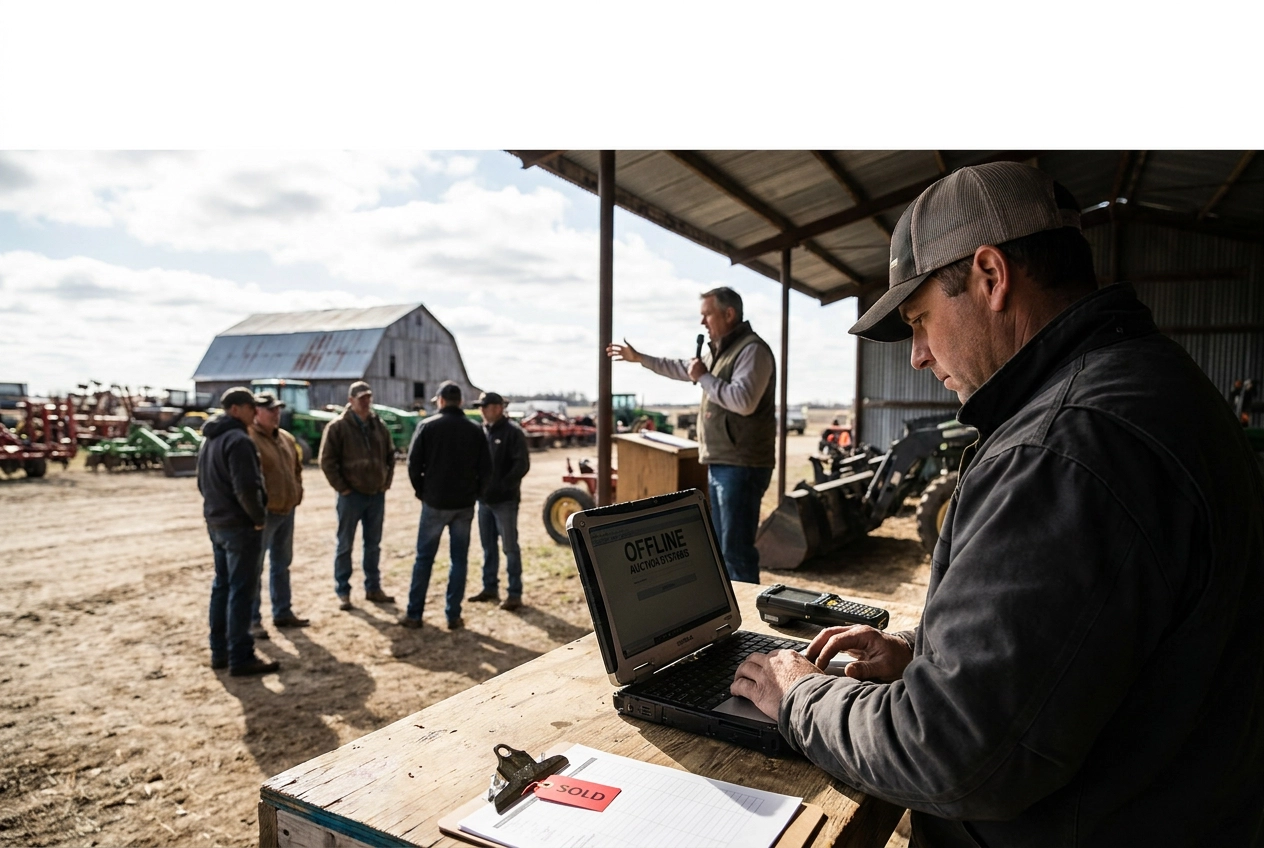
Picture this: you are running a live equipment auction on a rural property, the bidding is moving fast, and your internet connection drops. If your auction platform depends entirely on the cloud, your entire operation comes to a halt. This is exactly the problem that offline auction software is designed to solve.
Offline auction management software is a locally installed solution that handles every stage of a live auction directly on your computer, without requiring a steady internet connection. It covers everything from buyer and seller registration to lot entry, live clerking, cashiering, invoicing, payment recording, and final seller settlements. Unlike cloud-based platforms built for remote fundraising or online bidding, offline software keeps your data and workflows running on your own machine regardless of connectivity.
This guide is written for auction operators who are new to the concept and want to understand how offline software works, who it is built for, and whether it fits their operation. By the end, you will have a clear picture of the full auction workflow, the venues where local software is essential, and the practical benefits of running your auction independently from the internet.
What Offline Auction Management Software Actually Is
Offline auction management software is purpose-built to run the complete auction workflow on a local machine, with no active internet connection or cloud access required during the event. Every core operation, including buyer and seller registration, lot entry, hammer-price recording, cashiering, and seller settlement, executes directly on the host computer.
The defining characteristic is local-first processing. Transaction data lives on the host machine rather than a remote server, so a dropped cellular signal or absent Wi-Fi has zero effect on clerking or cashiering. What happens on the network is simply irrelevant to what happens on the auction floor.
This category is distinct from online auction platforms, virtual bidding tools, and nonprofit fundraising software. Those platforms depend on continuous cloud connectivity to process bids, update records, and generate invoices. Remove the internet connection and they stop functioning. Offline auction software is architected the other way: the local database is the complete, authoritative record of every transaction from opening registration through final settlement.
Multi-station operations are still possible. A paired cashier workstation can connect to the host through a private local network at the event site, allowing a clerk and cashier to work simultaneously without touching the public internet.
How It Differs from Cloud-Based Auction Platforms
“with local data and auditable correction history kept on the host machine rather than a remote server.
Most auction software covered in major software directories is built for a different use case entirely: online bidding, virtual events, or nonprofit fundraising, categories that assume reliable broadband throughout the event because their entire workflow runs in a browser connected to the cloud. All of that means bidder lookups, hammer-price entries, and cashiering may depend on a continuous internet connection, with data stored or processed on remote servers. HammerTrack Pro operates completely offline and keeps its auction data on the local computer.
The cost model differs as well. Cloud platforms typically charge recurring monthly or per-event fees tied to continued platform access, while offline auction management software is commonly available under a one-time license. That structure makes annual budgeting predictable regardless of how many events you run.
Feature priorities also diverge. Cloud platforms invest heavily in mobile bidding, remote participation, and donor management tools. Offline platforms are built around operational completeness for in-person events: registration, live clerking, cashiering, invoicing, and settlement.
The Full Auction Workflow Handled Offline
That operational completeness is what separates purpose-built auction software from general tools: every stage of the event runs on the same local system, in sequence, without cloud access at any point.
The workflow moves through these stages in order:
Buyer and seller registration with bidder number assignment
Lot and quantity entry before or during the event
Live hammer-price clerking as each lot sells
Cashiering with itemized invoice generation
Payment recording and refund processing
Final seller settlement
The key advantage of this sequential design is data flow. Hammer prices entered during clerking feed directly into each buyer's cashiering totals. Those totals then flow into seller settlement calculations. Nothing gets re-keyed between stages, which removes a common source of post-event errors.
During cashiering and settlement, commission rates, buyer premiums, and applicable fees are applied automatically. Reconciliation at the end of the day reflects what the software already calculated, not a separate spreadsheet built from scratch.
After the event, reports produce an auditable record covering every lot sold, every payment received, and every seller payout. That record supports both internal review and financial accountability without requiring access to a remote portal or cloud database.
Buyer and Seller Registration
Registration is the foundation every other workflow stage depends on.
Buyer registration captures contact details and assigns each participant an auction-specific bidder number. That number travels through the entire event, connecting every hammer price recorded at the clerk table to the correct buyer's invoice at the cashier station.
Seller registration records consignor details and links each seller directly to the lots they have entered. That linkage is what makes accurate commission calculation and end-of-event settlement possible. Without it, post-event reconciliation becomes a manual guessing exercise.
For returning participants, offline software draws on locally stored records. A clerk can pull up an existing buyer or seller quickly, which keeps check-in lines moving during the busy first hour of any sale.
Bidder numbers are assigned per event rather than permanently. That design choice keeps each auction's records clean and prevents conflicts when the same buyer participates across multiple dates under different numbers.
Lot Entry and Live Clerking
Once registration is complete, the next step is building the lot catalog and preparing the clerk's station.
Lot entry happens before or during setup. The clerk records item descriptions, lot numbers, quantities, and seller assignments for each consignment. That data sits on the local machine so the sale can move without delay.
When bidding opens, live clerking takes over. As each lot sells, the clerk enters the hammer price in real time. A slow response at the clerk table disrupts the auctioneer's rhythm. Offline processing removes network latency entirely: every keystroke resolves on the host computer rather than routing through a remote server, so live, in-person sales where signal isn't guaranteed run at full pace regardless of connectivity. For high-volume sales with rapid lot turnover, that local response is especially important.
Quantity lots are handled by recording multiple identical items under a single lot number, with each buyer's quantity and price captured individually. This keeps the catalog clean without forcing the clerk to create separate entries for every unit.
Cashiering, Invoices, and Payment Recording
Once a lot sells, the cashiering stage begins automatically. The system pulls completed lot data directly from the clerking record, assembling each buyer's invoice from hammer prices, quantities, buyer premiums, and any applicable fees without requiring manual re-entry.
Each invoice is itemized, showing the buyer every lot purchased, the price paid, and any additional charges line by line. That transparency reduces disputes at the cashier table because the buyer can see exactly how their total was calculated.
Payment recording captures the method and amount of each transaction, whether cash, check, or card, and flags any outstanding balances. Cashiers can move through checkout efficiently without tracking open invoices manually.
When corrections are necessary, refund processing handles voided lots, reversed payments, and returned items. Every change is captured in an auditable correction history, so the record reflects what actually happened rather than just the original entries.
The paired cashier workstation described earlier connects through a private local network, keeping both stations on the same live data without any internet dependency.
Seller Settlements and Post-Event Reports
Once cashiering closes out, the final step is paying your sellers accurately and documenting everything the event produced.
Seller settlement totals each consignor's hammer prices, deducts their agreed commission and any applicable fees, and generates a settlement statement the seller can review and sign before leaving. Because commission structures vary widely across auction types and individual consignment agreements, professional auction management software supports commission calculations per consignment agreement rather than a one-size-fits-all rate.
Post-event reports pull the complete picture automatically: total sales, lot-by-lot results, buyer activity, payment status, and seller payouts. That data is ready the moment the event ends, with no manual spreadsheet assembly required.
Auditable correction history records every change made to a lot, price, or payment after initial entry, including who made the change and when. If a seller questions a commission deduction or a buyer disputes a charge days after the event, that history provides a clear, documented record to resolve the issue without relying on memory or informal notes. Accurate business records depend on it.
Venues Where Offline Software Is Essential
Those workflow capabilities matter most when the venue itself can't support a cloud connection. Connectivity failures don't announce themselves in advance, and certain venue types make them nearly inevitable.
Fairgrounds and agricultural event facilities present a shared-bandwidth problem. Public Wi-Fi at multi-vendor events is typically shared across many operators simultaneously, making reliable real-time cloud processing uncertain precisely when auction activity peaks.
Barns, livestock facilities, and rural properties often have no broadband option at all. Cellular coverage in many agricultural and rural areas can be unreliable or absent entirely. For cloud-dependent software, no connection means no clerking, no cashiering, and no invoices.
Warehouses, equipment yards, and machinery auction sites are frequently in industrial or semi-rural zones where dedicated internet service was never installed and cellular signals are weak. The physical structures can further block what little signal exists.
Estate-sale and residential locations introduce a different risk: the only available connection belongs to the property owner. It may be password-protected, unavailable, or too slow to handle real-time transaction processing under load.
Temporary venues, including outdoor lots, tents, and pop-up sale sites, have no permanent infrastructure at all. Software that depends on the building's network has nothing to connect to. Offline software brings its own operational environment and works the same way regardless of what the venue provides.
Who Needs Offline Auction Management Software
Those venue challenges affect real businesses in predictable ways. Here is a breakdown of who encounters them most often.
Independent auctioneers working across barns, fairgrounds, estate properties, and temporary lots need software that performs identically at every site. Consistent behavior matters more than any single feature when your next venue may have no internet at all.
Equipment and machinery auction companies running on-site sales at farms, construction yards, and industrial facilities face exactly the connectivity risks described above, offline auction software simply eliminates them.
Estate-sale operators face a version of the same problem at every property. Local processing removes the connectivity variable entirely.
Livestock auctioneers manage high lot volumes at speeds that leave no margin for network latency. Clerking and cashiering must keep pace with the ring; a delayed server response is not an option when sales are moving quickly.
New auction companies selecting software for the first time benefit from one-time licensing because the cost stays fixed regardless of how many events they run or how much revenue they generate. Predictable expenses matter when a business is still establishing its calendar.
Nonprofit and benefit-auction organizers running live, in-person events at community centers, conference halls, or outdoor venues need full registration, clerking, and cashiering workflows, not scaled-down tools. Venue Wi-Fi unreliability should never limit what a professional workflow can deliver.
Practical Benefits of Running Auction Software Locally
Running auction software locally delivers five concrete advantages that apply regardless of venue type.
Speed at the clerk table. Local processing runs at the host computer's speed, not the network's. During fast-paced live clerking, even a brief server round-trip creates a visible pause. When lots are turning over quickly, that lag is noticed by bidders and the auctioneer.
Transaction records stay on your machine. Buyer data, hammer prices, and payment records are written to the local database only. Nothing is transmitted to a third-party server, so the auction company retains direct control over its own financial records.
Predictable software costs: a one-time license means expenses stay fixed regardless of how many events you run.
Simple setup at any venue. Arrive with a laptop and, if needed, a second cashier workstation connected through a portable local router. No advance calls to venue IT staff, no requests for network credentials, no dependency on the building's infrastructure.
Records ready the moment the auction closes. Settlement reports, invoices, and lot results are available for printing or export immediately after the final lot sells, with no synchronization delay and no portal login required.

Is Offline Auction Software Right for Your Operation?
Those practical advantages mean little if the software itself isn't the right fit for how and where you work. Three questions cut through the decision quickly.
Do you operate in venues where internet access is uncertain? If any of your regular venues present real connectivity risk, offline-first software removes a dependency that has no business being present on event day.
Is your current workflow integrated, or assembled from pieces? If you're handling registration in one tool, tracking lots in another, and reconciling settlements in a spreadsheet, you're carrying avoidable risk at every handoff. A single platform that moves data from registration through seller settlement without re-entry tightens accuracy and reduces post-event work.
What does the software actually cost across a full year of events? A one-time license is fixed; subscription fees compound with event volume, run the comparison against your actual schedule.
HammerTrack Pro addresses all three considerations directly. It covers the complete auction workflow locally on a Windows machine, with an optional paired cashier workstation, designed for exactly the venue types this post describes.
The most reliable auction software is the one that performs identically at every location you work, whether the venue has strong Wi-Fi or none at all.
Conclusion
Offline auction management software is the right tool for auctioneers who work in unpredictable venues and want predictable costs, covering every stage from registration through settlement without a live internet connection.
If your venues include fairgrounds, barns, estates, or any site where connectivity is uncertain, the case for local software is straightforward. Your operation deserves tools that perform identically everywhere you work.
Take the next step: review your current workflow against the three questions outlined above, then explore what HammerTrack Pro delivers across a full event cycle. Reliable software makes every auction day simpler, faster, and more professional, regardless of where the gavel falls.